Step 3.2 · Style sheet (CSS)
Add Google Fonts
Load your Figma font pairing from Google Fonts so every visitor sees the type you designed with.
A visitor only sees your fonts if the browser can download them. Google Fonts hosts hundreds of free, openly licensed families for the web. If you used a font in Figma that is not on Google Fonts, choose the closest Google Fonts match and update your Figma styles.
Find your fonts on fonts.google.com. For each family, click Get font. Select only the weights you designed with (for example Regular 400 and Bold 700). Every extra weight makes the page slower.
Click Get embed code and copy the
<link>code.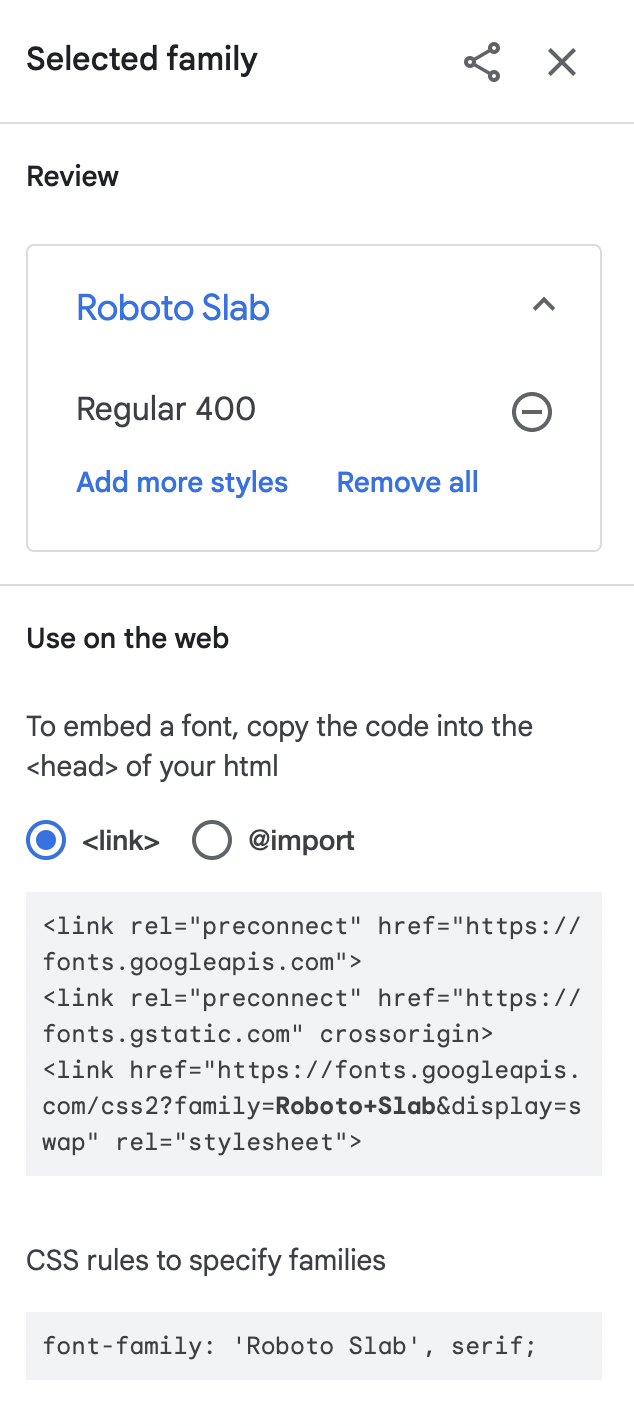
Paste the code in the <head> of
index.html, replacing the Google Fonts comment, above the link tostyles.css:site/index.html<link rel="preconnect" href="https://fonts.googleapis.com"> <link rel="preconnect" href="https://fonts.gstatic.com" crossorigin> <link href="https://fonts.googleapis.com/css2?family=Playfair+Display:wght@700&family=Source+Sans+3:wght@400;700&display=swap" rel="stylesheet"> <link rel="stylesheet" href="css/styles.css">The
preconnectlines start the connection to Google early, anddisplay=swapshows a fallback font until yours loads, so text never stays invisible.Set the font names in CSS. In
styles.css, the font tokens at the top control every font on the site:site/css/styles.css--font-heading: 'Playfair Display', Georgia, serif; --font-body: 'Source Sans 3', Arial, sans-serif;The list after your font is the fallback stack: fonts to use if yours fails to load. End with a generic family:
seriforsans-serif.Save. Keep a copy of this code handy: you paste the same lines into each gallery page in step 4.1.
Read Google's guide to choosing type. Body text needs open shapes and generous spacing at 16 px; save decorative faces for large headings.
© Created by Sara Rosenstock, Marietta College Graphic Design.