Step 2.1 · Home page (HTML) · Review
HTML explained
HTML (HyperText Markup Language) describes what each piece of content is. The browser uses it to build the page.
A web page is an HTML file plus the images, fonts and style sheets it points to. The HTML file is plain text. It holds your words and acts as the glue that puts the text and images in the right places.
HTML is the architecture
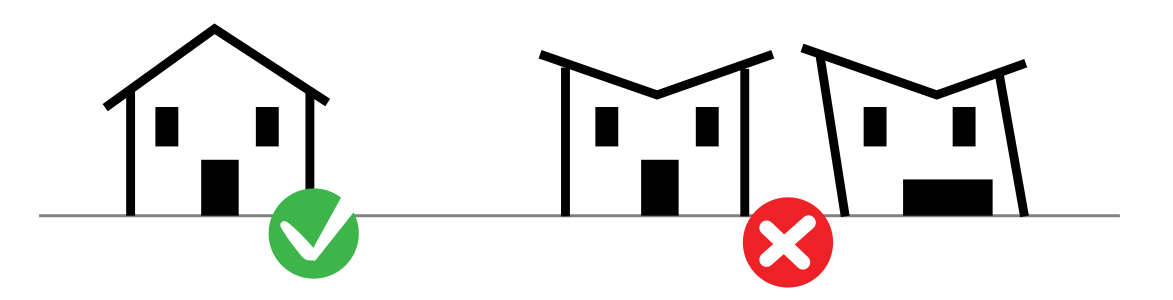
HTML states the contents and structure: there is a header, it contains a logo and navigation, there is a main section with three cards. It does not say what anything looks like. That is the job of CSS (step 3).
Tags and elements
HTML uses tags: keywords inside angle brackets. Most come in pairs, an opening tag and a closing tag with a slash. Together with the content between them they form an element.
<p class="intro">De Stijl was a Dutch art movement founded in 1917.</p><p>is the opening tag and</p>is the closing tag.class="intro"is an attribute: extra information inside the opening tag, written asname="value".- A few elements have no closing tag because they hold no content, such as
<img>,<meta>and<link>.
The parts of every page
<!doctype html>
<html lang="en">
<head>
  <meta charset="UTF-8">
  <title>De Stijl: Home</title>
</head>
<body>
  <h1>De Stijl</h1>
  <p>A Dutch art movement founded in 1917.</p>
  <!-- This is a comment. Browsers ignore it. -->
</body>
</html>| Element | What it does |
|---|---|
<!doctype html> | Tells the browser this is a modern HTML document |
<html lang="en"> | Wraps the whole page; lang tells screen readers which language to speak |
<head> | Information about the page: title, fonts, style sheets. Not displayed. |
<title> | The name in the browser tab and in search results |
<body> | Everything visitors see |
<h1>–<h6> | Headings, from most to least important |
<p> | A paragraph |
<!-- --> | A comment: a note to yourself that visitors never see |
Semantic elements
Semantic means the element's name describes its meaning. Search engines and screen readers use these names to understand your page, so choose the element that matches the content.
| Element | Use it for |
|---|---|
<header> | The top of the page: logotype and navigation |
<nav> | The main links between pages |
<main> | The unique content of this page (one per page) |
<section> | A themed group of content, usually with a heading |
<article> | A self-contained item, such as a topic card |
<footer> | Credits, contact and copyright |
<ul>, <ol>, <li> | Unordered (bulleted) lists, ordered (numbered) lists and their items |
<div> | A generic box with no meaning. Use it only for layout when nothing above fits. |
Elements, classes and IDs
You will label elements so CSS can find them. There are three ways to point at something:
| In HTML | In CSS | Use |
|---|---|---|
<nav> | nav | The element itself. Styles every nav on the page. |
class="topic-card" | .topic-card (period) | A reusable label. Many elements can share a class. |
id="gallery" | #gallery (hash) | A unique name. Only one element per page can have it. |
In this project you use semantic elements first and classes for styling. IDs are rarely needed.
Try the HTML lessons in Web Design Playground, or look up any element in the W3Schools HTML reference.
© Created by Sara Rosenstock, Marietta College Graphic Design.