Color Theory · Page 4 of 6
Color harmony
When colors work well together, they create harmony. These guidelines help you get there.
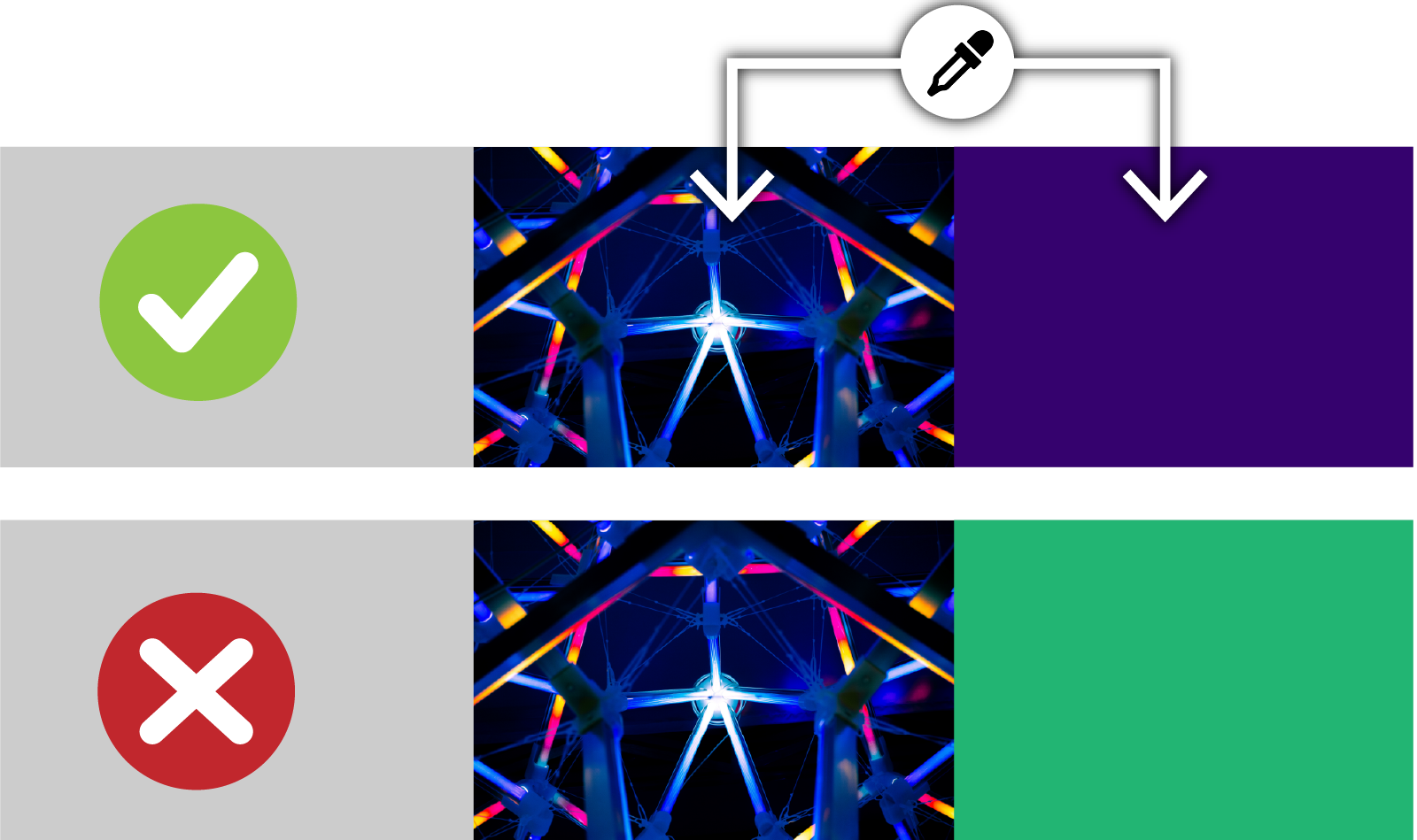
Unifying color
Unity makes all the elements look like they belong together. A design isn’t unified when something doesn’t seem to fit.
An easy way to pick a color that works with a photograph is to sample one (or more) directly from the photo.
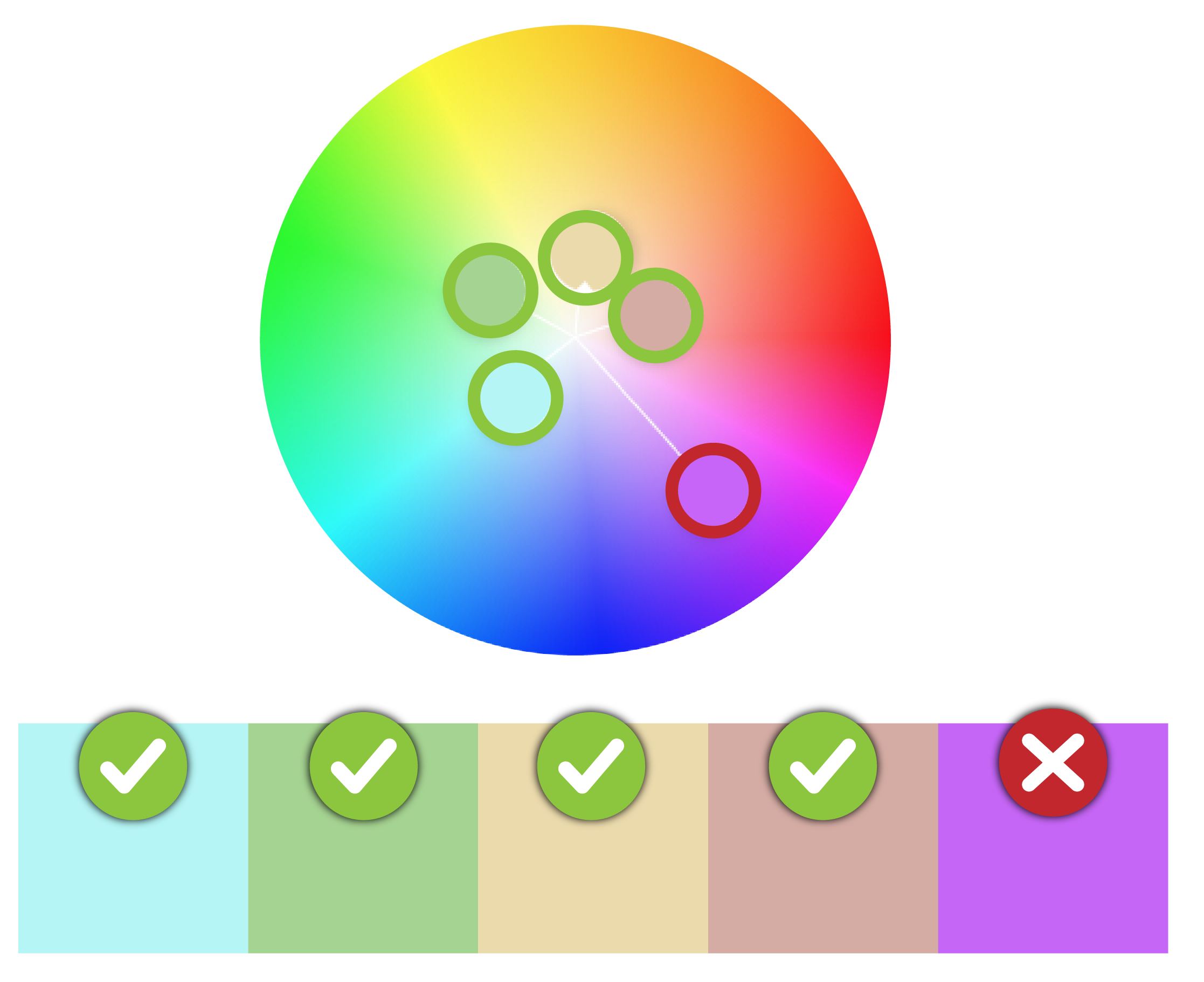
Matching saturation
Colors should share a similar saturation level, or they won’t look like they match.
Keep your colors in a similar ring of the color wheel to keep saturation consistent.
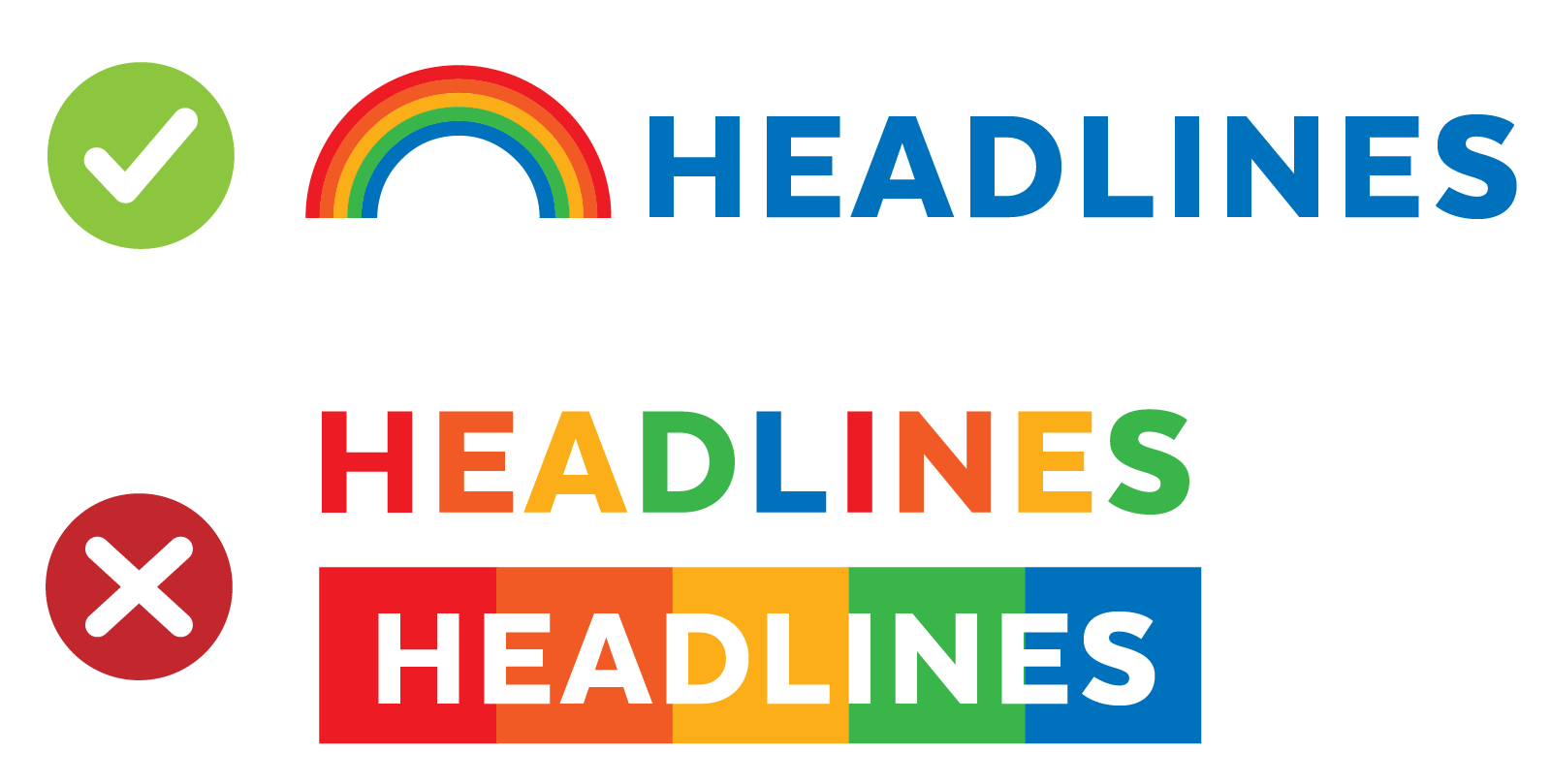
Avoid rainbows
Rainbows can be fun as a graphic but a nightmare as a color scheme: rainbow colors don’t share the same contrast levels, which makes them tricky to work with.

Color contrast
Have you seen colors that seem to vibrate next to each other? Tone it down: start with one color and adjust its lightness, darkness or saturation. Sometimes a little contrast is all your palette needs.
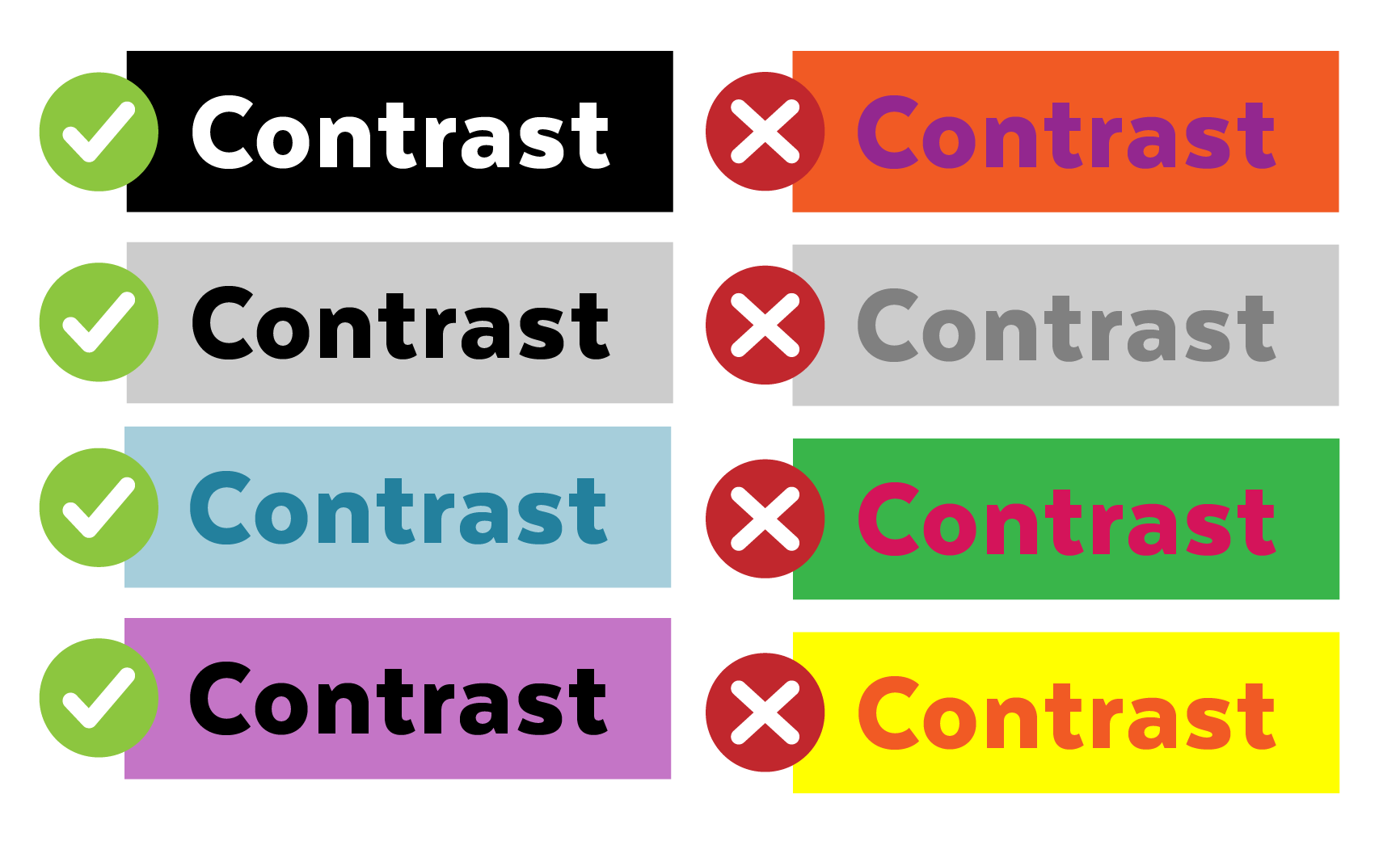
Color accessibility
Make sure every reader can see your text clearly. Consider people who are color blind: red/green color blindness is the most common, so avoid relying on that pair.
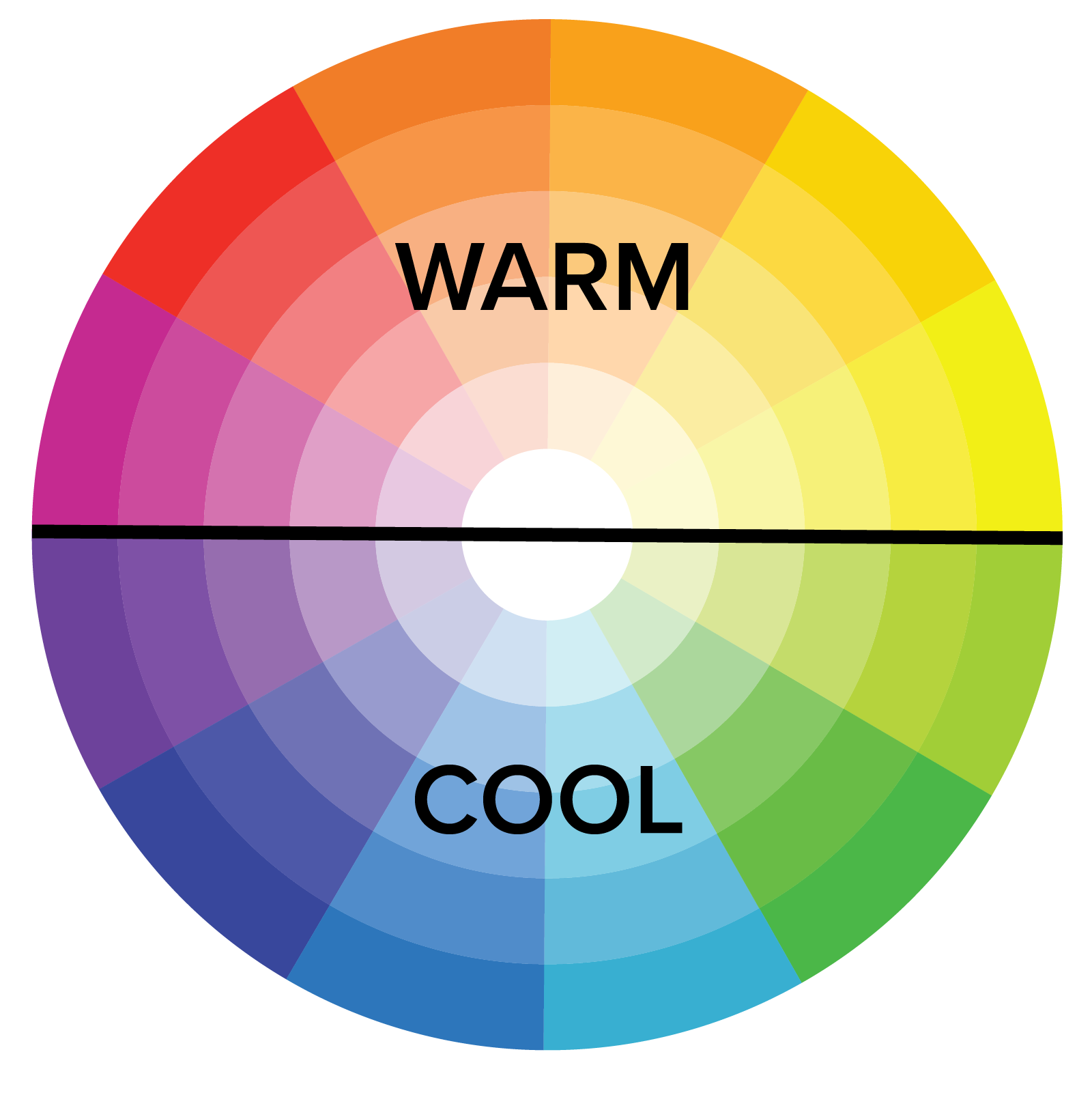
Color temperature
Color temperature affects the mood of a design.
Warm colors (yellow, orange, red) bring energy, positivity and sunshine. Cool colors (green, blue, purple) suggest relaxation and calm. Neutrals like white and gray can lean warm or cool depending on their undertones.
How to fix a palette that isn’t harmonious
If your colors look like they came from different designs, work through these steps one at a time. Change one color, look again, then move on.

 Step 1
Find the odd one out
Squint at the palette. The color that jumps out first, or seems to belong to a different design, is usually the problem.
 Step 2
Match the saturation
Lower the saturation of the loudest color (or raise the dull ones) so every color sits in a similar ring of the color wheel.
 Step 3
Pull the hues together
Shift colors toward a shared hue, or sample them from your photo, so they look like they belong to the same family.
 Step 4
Give each color a job
Use one main color for most of the design, a second for support, and save a bright accent for the few things that matter most.
 Step 5
Check the contrast
Darken or lighten one color so text stands out clearly from its background. Test it with a contrast checker.
 Step 6
Pick a temperature
Let warm or cool colors lead. A mostly-warm palette with one cool accent (or the reverse) feels more unified than an even mix.
These free tools test and build accessible palettes:
- Coolors contrast checker (opens in a new tab): checks whether text is readable on a background color.
- Venngage accessible color palette generator (opens in a new tab): builds palettes with enough contrast.
© Created by Sara Rosenstock, Marietta College Graphic Design.