Color Theory · Page 5 of 6
Color models
A color model is a system for describing colors with numbers. Which one you use depends on where your design will be seen.
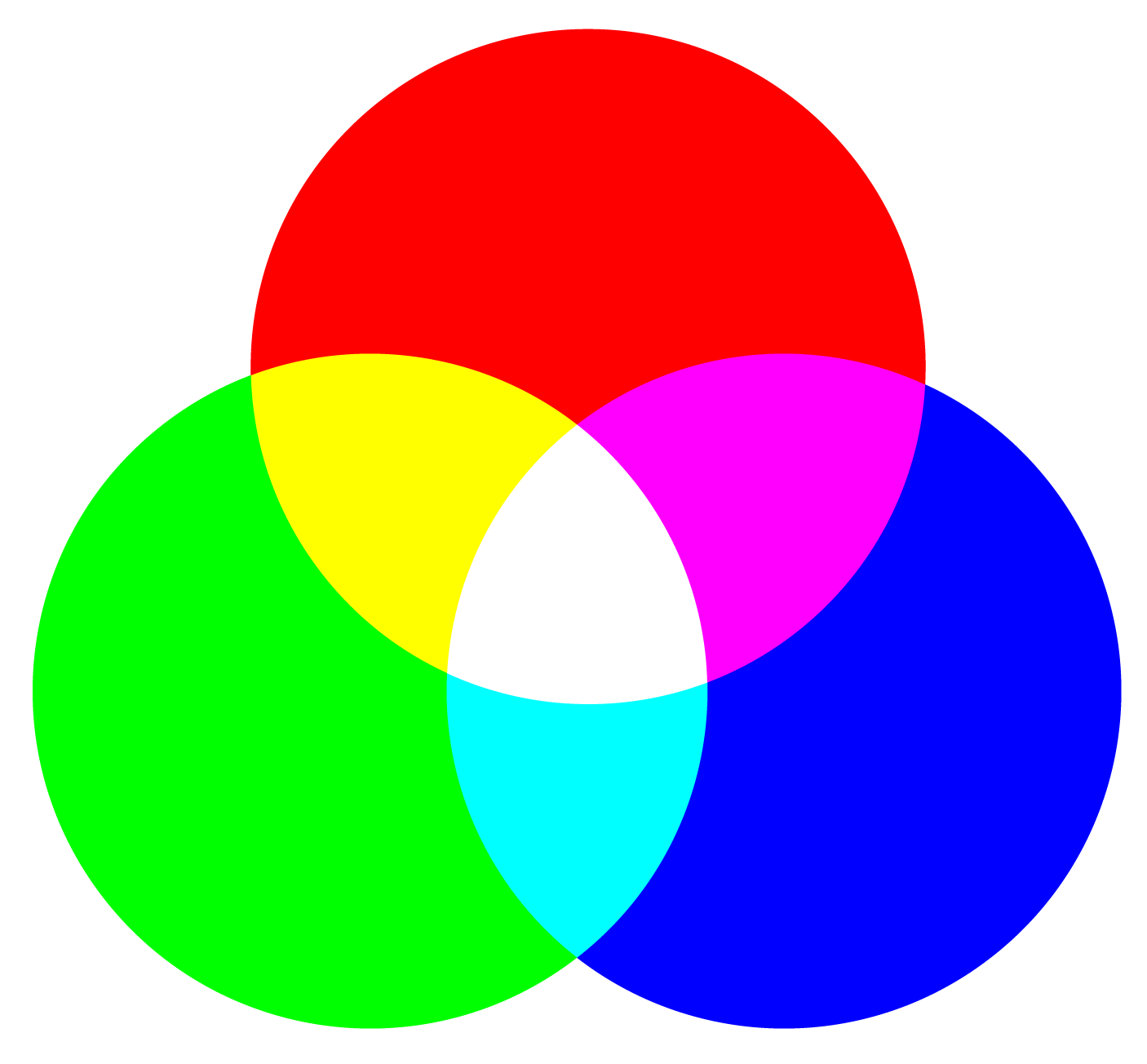
RGB: red, green, blue
Used for screen-based designs.
RGB is an additive color system: colors get lighter as they mix. Mix all three in balanced amounts and you get white.
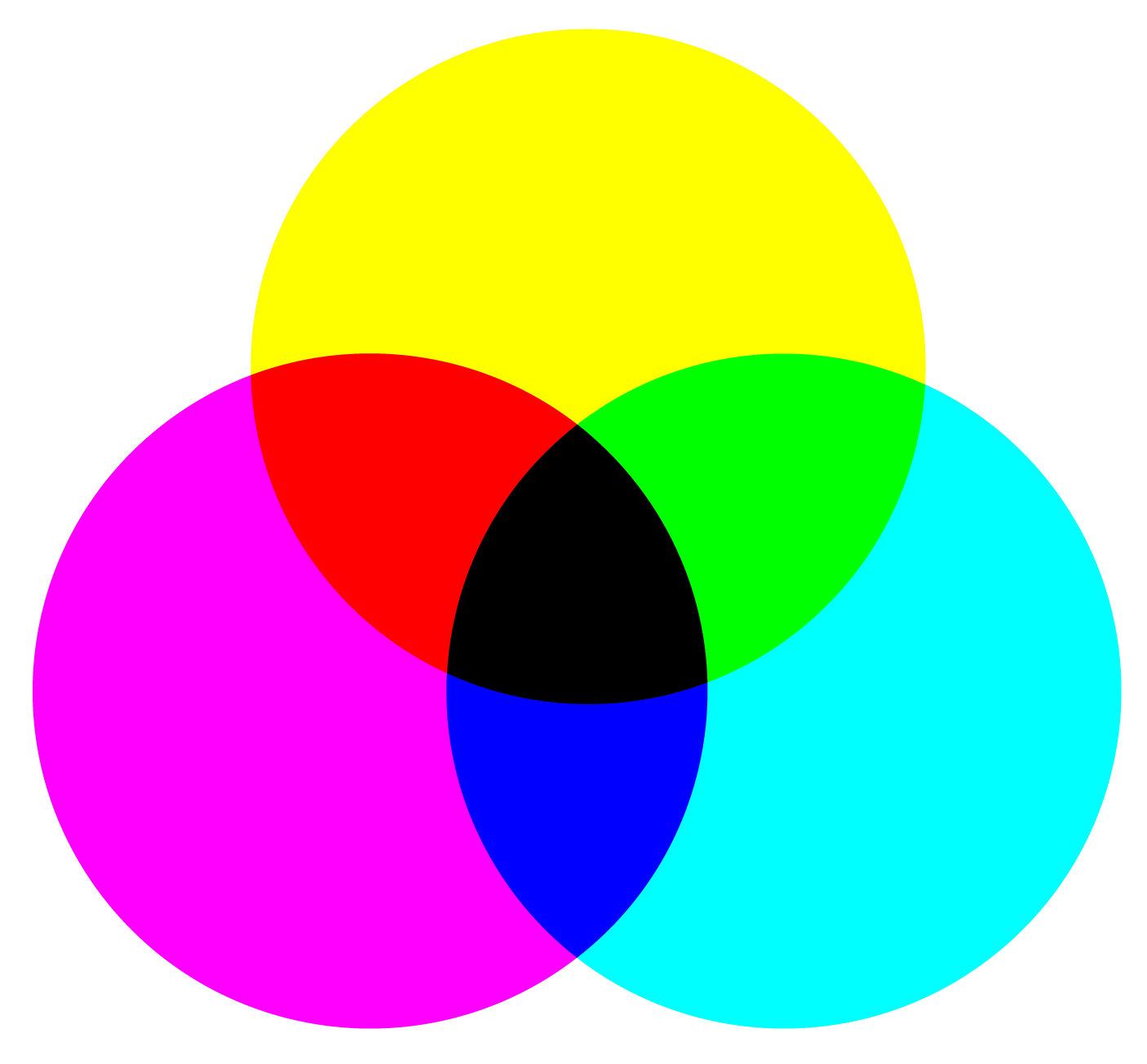
CMYK: cyan, magenta, yellow, black
Used for print-based designs.
By mixing cyan, magenta, yellow and black inks you can print nearly any color in the four-color printing process.
CMYK is a subtractive color model: colors get darker as they mix, and all of them together make a near black.
HSB and HSL: hue, saturation, brightness
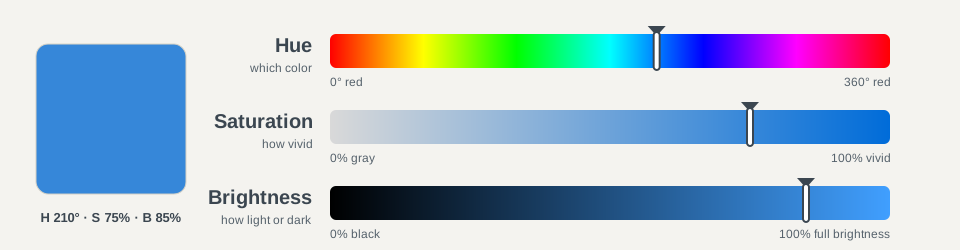
Used for editing color. HSB (in Adobe apps) and HSL (in CSS) describe colors in a more natural way than RGB numbers. Both are just another way of writing RGB colors.
HSB and HSL are more intuitive than RGB: you can guess at the color you want, then tweak it. They also make it easy to build sets of matching colors by keeping the hue the same and changing only the saturation and brightness.
Hue
The specific color chosen within the color spectrum, like red, green or blue.
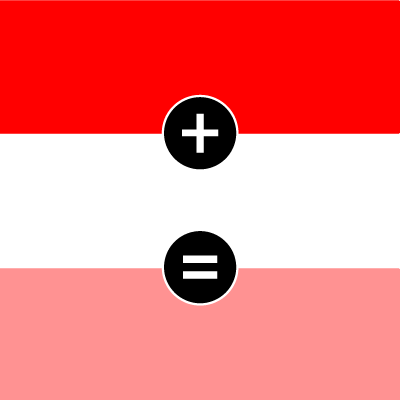
Saturation
How vivid or dull the hue is. Mixing in white or gray lowers the saturation.

Brightness
How light or dark the color is. Mixing in black lowers the brightness. (CSS calls this lightness.)
How to edit the colors in HSB
- Open HSB. In Photoshop, click the foreground color to open the Color Picker; the H, S and B fields are on the right. In Illustrator, open the Color panel, select the panel menu and choose HSB.
- Pick the hue (H). Hue is measured in degrees around the color wheel: 0° is red, 120° is green and 240° is blue.
- Set the saturation (S). 100% is the purest, most vivid version of the hue. Lower it to mute the color; at 0% it turns gray.
- Set the brightness (B). 100% is fully bright. Lower it to darken the color; at 0% every color is black.
- Make a matching set. Keep H the same and change only S and B. Every color in the set will clearly belong together.
On the web, CSS uses HSL instead, where lightness runs from black (0%) through the pure color (50%) to white (100%). For example, hsl(210 75% 50%).
© Created by Sara Rosenstock, Marietta College Graphic Design.