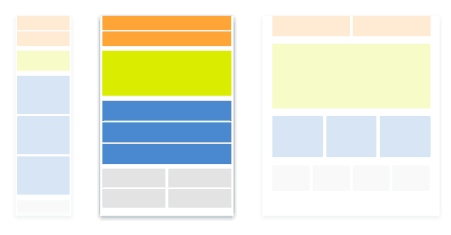
- The CSS styles declared in this file will be applied when the viewing screen is between 680–1000 pixels wide.
- Create a new CSS file (File > New > CSS) and add this code to the file:
- Save file as "tablet_styles.css" in the "css" folder.
tablet_styles.css
All CSS defined in the "tablet_styles.css" file will affect the preview of the table (or smaller desktop viewing of this website only).The code will detect what size screen the vistor is viewing the website on and change the styling accordingly.
@media screen and (min-width: 680px){
/*All this CSS is Different than Desktop CSS*/


/*MAIN FRAMEWORK*/
/*These styles affect the content in the BROWSER WINDOW*/
html, body {
margin-bottom: 80px;
margin-left: 0px;
margin-right: 0px;
margin-top: 0px;
}


/*These styles affect the content in the main FRAME that contains all the content for the page*/
#frame {
width: 100%;
margin:0px;
padding: 0px;
}


/*HEADER*/
/*These styles affect the content in the HEADER*/
header {
width: 100%;
margin-bottom:20px;
height: 100px;
background: magenta;
}

#header_logo {
float: left;
margin: 20px;
background-color: purple;
width: 50%;
}

header img{
width: 100%;
height:auto;}

#intro {
float: left;
color: #000000;
padding-left: 20px;
padding-top: 20px;
padding-right: 20px;
padding-bottom: 20px;
font-size: 1.2em;
overflow: visible;
margin: 20px;
background-color: red;
width: 90%;
}


/*MAIN CONTENT*/
#stage {
float: left;
padding-left: 0px;
padding-top:0px;
margin:0px;
background-color: yellow;
width: 100%;
}

/*These styles affect the content in the the COLUMN div tag*/
#col_1, #col_2, #col_3 {
width: 240px;
float: left;
padding-left:2%;
background-color: aqua;
}


/*GALLERY*/
/*These styles affect the content in the GALLERY div tag*/
#gallery{
width: 100%;
float: left;
}

/*Styles affect all the IMAGES in the GALLERY div tag*/
#gallery img {
width: 30%;
height: 30%;
padding:5px;
pointer-events: none;
cursor: default;
}


/*These styles affect all the IMAGES in file, unless styled elsewhere*/
img {
max-width: 240px;
max-height: 240px;
}


/*NAVIGATION*/
nav{
height: 34px;
width: 100%;
float:left;
background-color: aqua;
}

nav ul{width: 100%;}

nav li {
display:inline-block;
margin: 0px;
padding-left: 5%;
float:left;
}

nav li a {
font-family: 'Roboto', Arial, sans-serif;
font-size: 1em;
color:#FFFDFD;
background-color: #9F9F9F;
text-decoration:none;
padding-left: 12px;
padding-top: 10px;
padding-bottom: 0px;
margin-bottom:0px;
margin-right: 2px;
display:block;
width: 100%;
}

nav li a:hover{
background-color:#373232;
}


/*FOOTER*/
#footer {
position: fixed;
text-align:center;
left: 0px;
bottom: 0px;
z-index: 1;
height: 60px;
background-color:#E6E5E5;
width: 100%;
padding: 10px;
float: left;
font-family: Times, "Times New Roman", serif;
font-size: .8em;
box-shadow: 2px -2px 5px #888888;
}

#footer img{
width: 40px;
height: 40px;
}

/*MOBILE NAVIGATION*/
/*This hides the mobile menu image on the desktop*/
#menu-icon {
display: hidden;
}
}